Dear Year 11 Students and Parents/Carers,
We are writing to inform you about the DfE Education Record app and how you can gain access to it.
First of all, it is important to point out that having the app is not to replace GCSE Results Day, you should still collect your results from school on Thursday 20th August between 9am and 10:30am.
What is the Education Record app?
The Department for Education (DfE) education record app allows pupils to access their education information on their mobile phone in a secure education record.
The education record is issued to pupils in year 11 on the app. An education record contains:
-
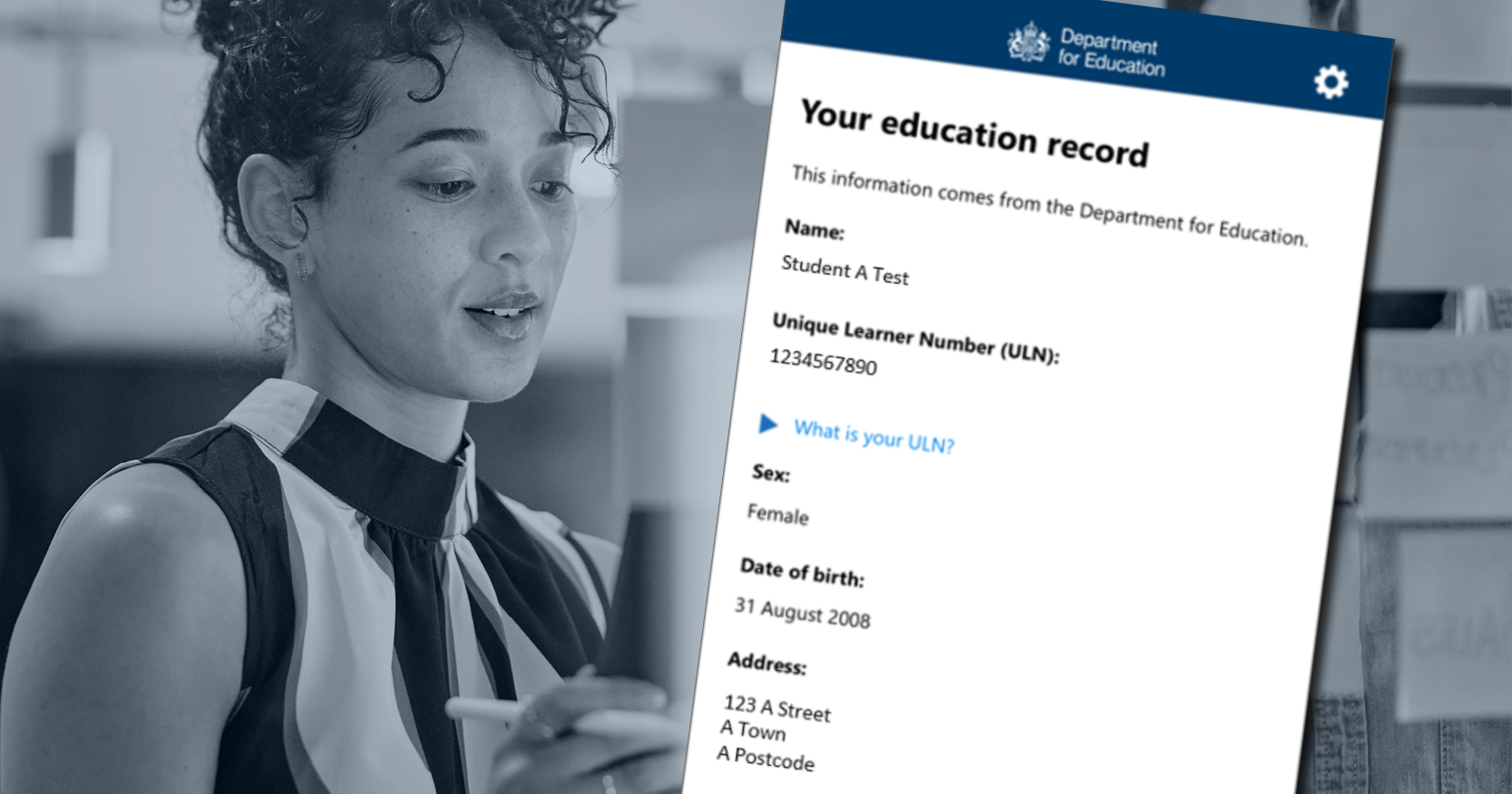
pupil name, date of birth and address
-
schools they have attended
-
official exam results for qualifications like GCSEs
-
support needs
A member of staff at your child's school will vouch for their identity and issue each pupil their education record on the app. Pupils will need their current mobile phone or another device to download the education record app and be issued their education record.
Pupils can use the app to make application to and enrolment at sixth form, college or a training provider quicker and easier.
Example education record
This shows what an education record will look like on your phone once you have been issued it in school.

How do I get the app?
Step 1 (at home)
Download the app onto your device using the App Store or Google Play
Education Record England App - App Store
Education Record England - Apps on Google Play
Step 2 (at school)
Bring your device with the app already downloaded.
Attend one of the after school drop-in sessions. A member of staff will vouch for your identity and give you a QR code to scan via the Education Record app.
You will then be asked to read the privacy notice information, add a 6 digit passcode for the app and add your mobile number in case you need to recover your access.
The first 2 drop-in sessions will take place from 2:50pm - 3:15pm on Monday 20th and Tuesday 21st April in D2. There will be further sessions scheduled throughout this half term so that everyone will have the opportunity to gain access to the app if they wish.
Important Reminder About Mobile Phones
The usual rules in school apply regarding using your phone. You should only have your phone out whilst the access is being given with a member of staff during the drop-in session. Your phone should be put away again afterwards whilst you are on the school site.
FAQs
Q: Is it mandatory to set up the Education Record service app?
A: No, setting up the app is completely optional. However, we strongly encourage all Year 11 students to take advantage of this free service as it provides a convenient and secure way to access your educational records in future years when applying for college, sixth form, apprenticeships, university or employment.
Q: Why should my child set up the app now?
A: Once students leave Alder Community High School, we will not be able to set up the app for them. This is their only opportunity to get the app set up with our support whilst they're still at school.
Q: How long does the setup process take?
A: Once students have the app downloaded and attend the drop-in session, the setup process typically takes around 5 minutes. A member of staff will provide a QR code and guide students through completing the setup.
Q: Is the app secure?
A: Yes, the Education Record service app is provided by the Department for Education and uses secure technology to protect students' personal information. A member of staff at school will verify each student's identity before issuing their education record.
Q: Who can see the information on my education record?
A: Only your child can access their education record on the app. They can choose to share information from their record with colleges, sixth forms, or training providers when making applications or enrolling, but they are in control of what they share and when.
Q: Can parents access the app?
A: The Education Record service app is designed for students to access their own educational information. Parents cannot access the app on behalf of their child, but you can support your child in understanding how to use it effectively.
Q: What happens to the information if my child deletes the app?
A: If your child deletes the app, they can re-download it and log back in to access their education record. The information is stored securely by the Department for Education, not just on the device.
Q: Can my child still use the app after leaving Alder Community High School?
A: Yes, absolutely. The education record belongs to your child, and they can continue to use it after leaving school. This is one of the key benefits – they'll have ongoing access to their educational information when they need it for applications, enrolment, or employment.
Q: Will the app be updated with exam results?
A: Yes, when official exam results (such as GCSEs) are published, they will be added to your child's education record automatically.
Q: What if my child changes their mind about setting up the app after leaving school?
A: Unfortunately, once students leave Alder Community High School, we will not be able to set up the app for them. Students may be able to set it up independently, but they would need to do this without school support. This is why we're encouraging all Year 11 students to take advantage of this opportunity now.


.png)
.png)


.png)